




 Accessories
Classic M-Lok Adapter - Product Guide
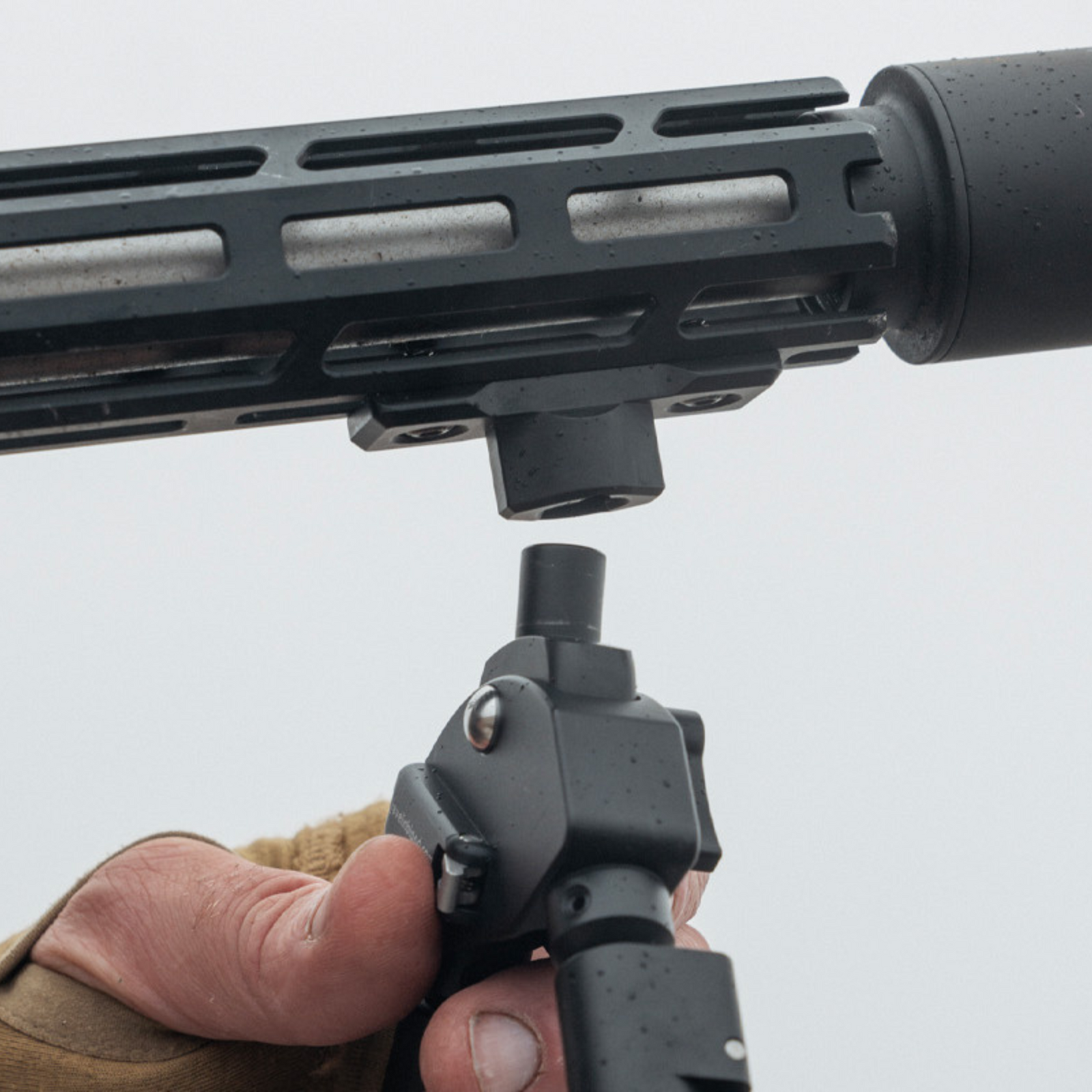
The Classic M-Lok Adapter enables our range of Spartan Javelin Bipods, Ascent and Sentinel Tripods, and Davros Heads to be attached and detached in seconds to rifles with genuine M-Lok accessory rails.
Subscribe to our YouTube Channel here.Overview
The M-LOK direct attachment system is extremely intuitive and easy to use. Because of the versatility of the system in accommodating various thicknesses of mounting surfaces and the adjustments that allow this functionality, the tips below will help the user to have the best possible results in the fastest possible time.
Installation
Installing The Adapter
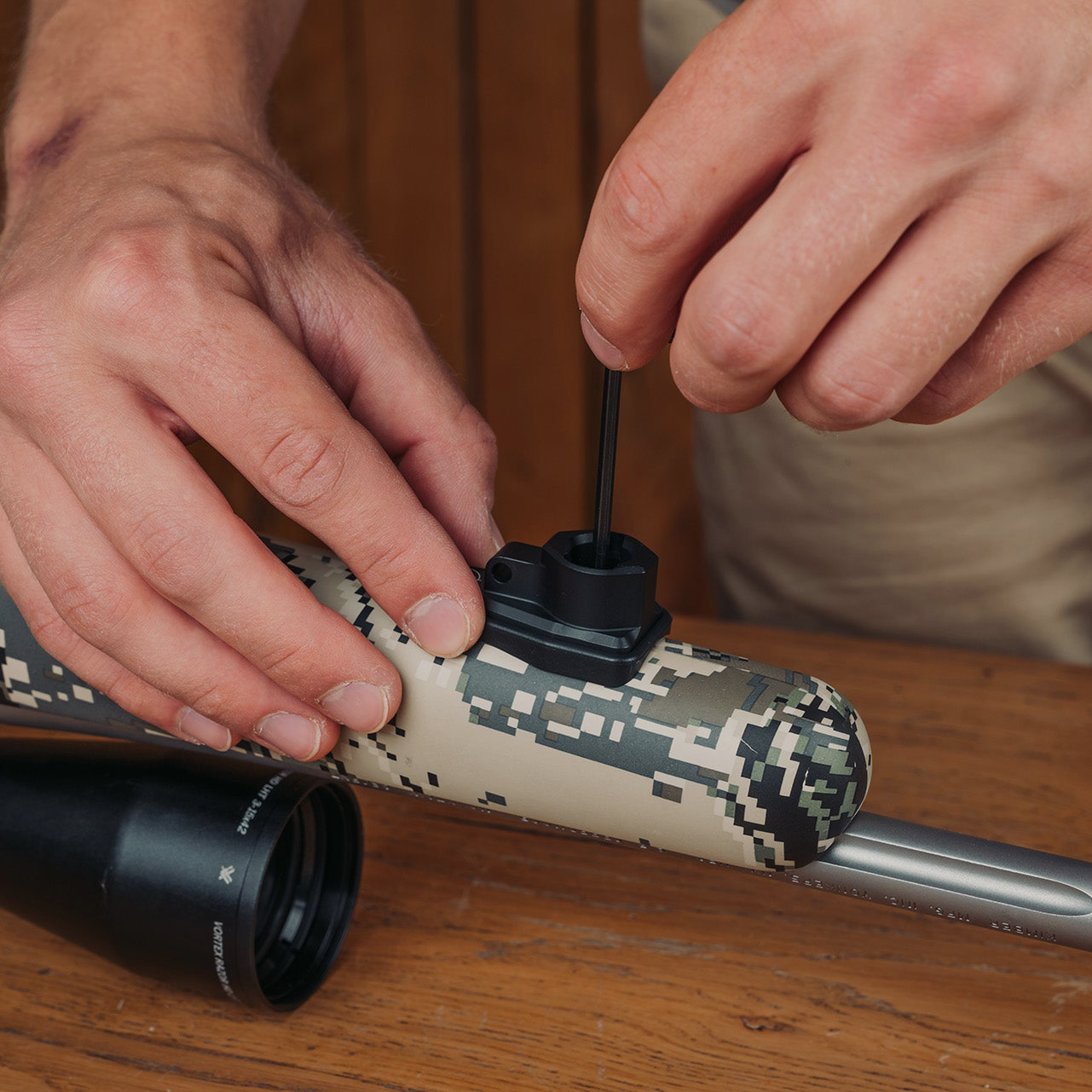
To install the M-LOK adapter to your rifle, the T-Nut "gap" must be slightly wider than the mounting surface thickness for best function. Measure the surface or use its edge as a gauge. For most aluminum surfaces, align the highest edge of the T-Nut with the bottom edge of the recoil lug. Thicker or polymer rails may need the nuts looser (one or two threads of gap).
Check That the Accessory is Fully Seated
The bottom of the accessory should sit flush with the mounting surface. If it doesn’t, then slide the accessory fore-aft until it drops fully into the slot with the lugs engaged.
Ensure the T-Nut Rotates 90 Degrees
Apply some downward force on the hex wrench to make sure that the screw is seated, and then tighten. If you have adjusted the nuts appropriately, they should rotate into perfect 90-degree alignment with a ¼ turn of the screw.

Troubleshooting T-Nut Rotation
- Spaced too far: The nut will rotate freely without stopping and tightening. In this case, the nut will have to be screwed in closer to the bottom of the accessory. Simply remove the accessory from the slot and screw the nut on one full turn. Repeat as necessary so that the cam engages the slot when the screw is tightened.
- Spaced too close: The “wings” of the nut will contact the sides of the slot and the nut will not rotate into place. This will cause the nut to tighten against the accessory lugs without engaging the hand guard. In this case, the nut should be unscrewed until it is spaced far enough away from the lugs to allow it to rotate properly into position. Unscrew the nut one turn at a time and retest function.
Observing the T-Nut Rotation
- Most hand guards or other mounting surfaces have holes or vents that can be seen through to confirm that the M-LOK T-Nuts are properly engaged with the slot, 90 degrees from slot orientation.
- If it is not possible to watch the nut rotate, then careful attention needs to be paid to the screw as it is tightened. The screw should turn easily for the first quarter turn, then when the nut stops rotating it will become slightly more difficult to turn. Continue tightening until secure. Pull on both ends of the accessory to ensure it is engaged.
Need More Help?
If you have any questions, concerns, or issues, please don't hesitate to contact us at: help@javelinbipod.com
Accessories
 Adapters
Arca to Spartan 12mm - Product Guide
 Tripods
Ascent Tripod Gen 2 - Product Guide
 Adapters
Binocular Adapter - Product Guide
 Adapters
Classic Guide Adapter - Product Guide
 Adapters
Classic Gunsmith Adapter - Product Guide
 Adapters
Classic KeyMod Adapter - Product Guide
 Adapters
Classic M-Lok Adapter - Product Guide
 Adapters
Classic Picatinny Adapter - Product Guide
 Adapters
Classic Rifle & Picatinny Rail - Product Guide
 Adapters
Classic Rifle Adapter - Product Guide
 Adapters